Today We're Launching the Next Iteration of Howly
A redesigned workflow canvas built to sit alongside HubSpot, plus sharper property tracing, audience-specific reports, and faster MCP setup.
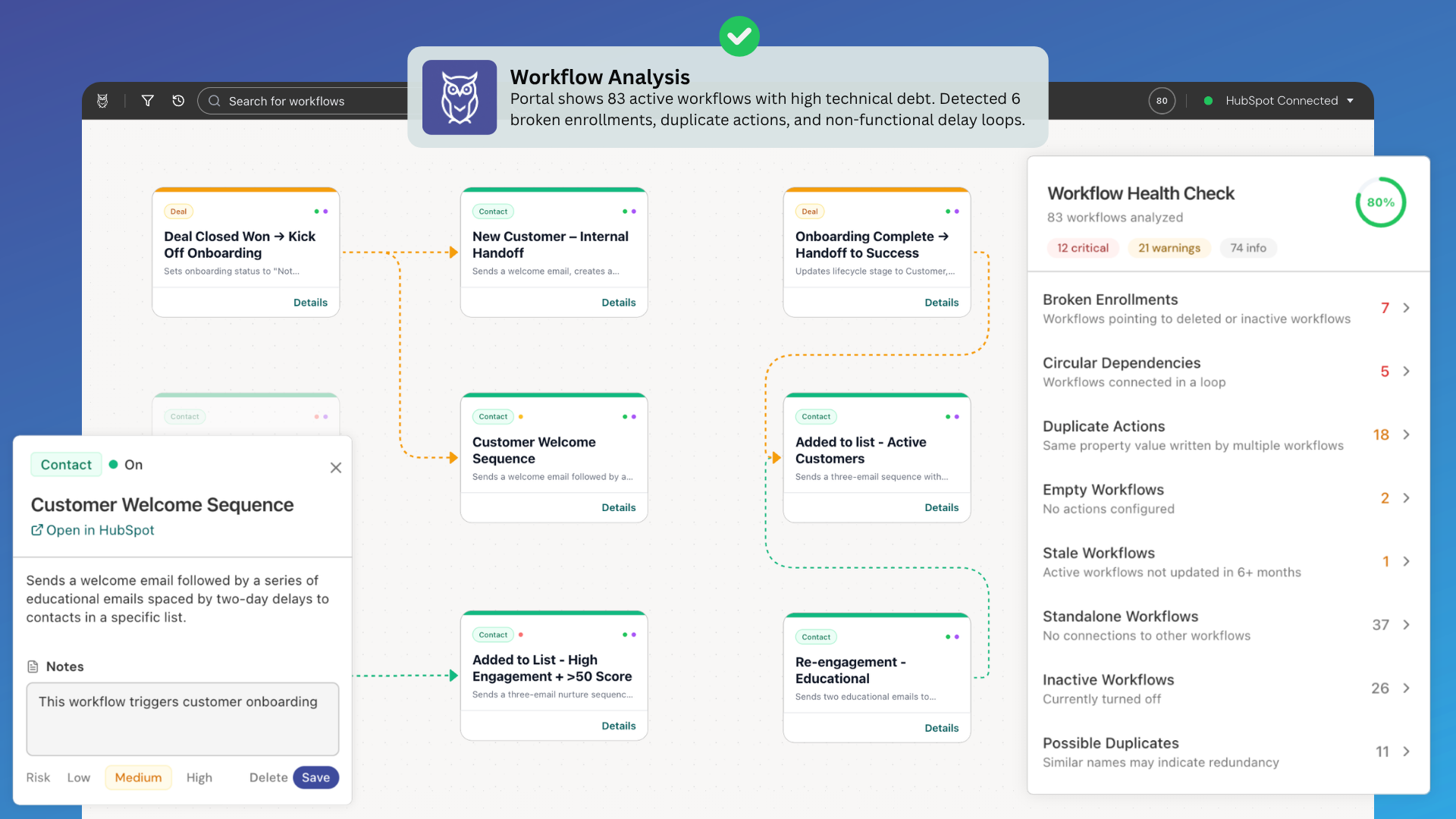
Howly looks different today. We rebuilt the workflow canvas, the controls around it, and the sidebar so the whole app feels at home next to HubSpot. The result is a dependency map that stays readable whether your HubSpot portal has 20, 200, or 2000 workflows.
A canvas that reads at every zoom level
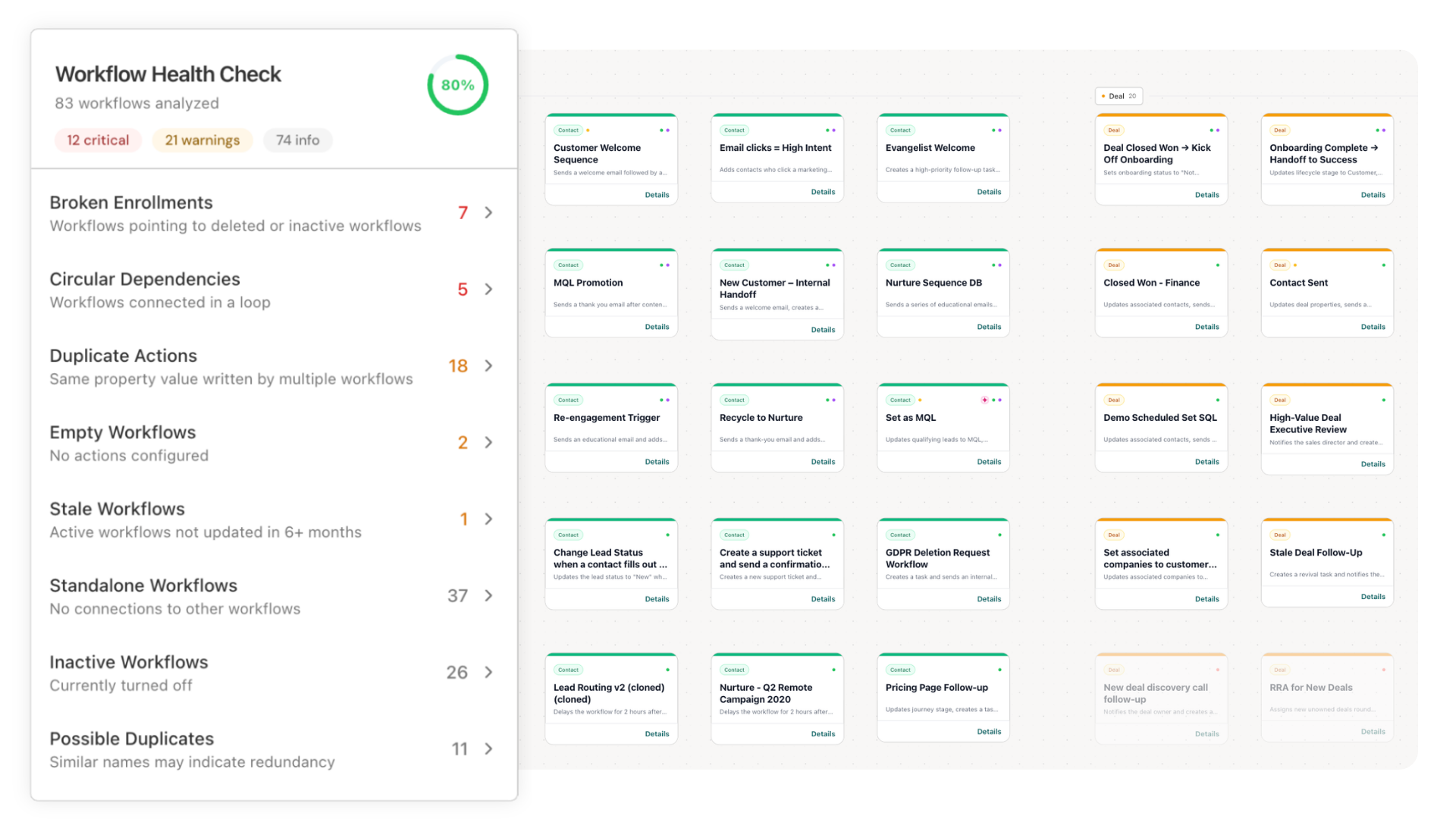
Workflow cards now have cleaner headers, compact chips, clearer object-type color bars, and a simpler details footer. Draft nodes are easier to tell apart from live ones.
The canvas also uses semantic zoom. When you zoom out, cards condense into role labels, and status and note markers stay visible. When you zoom back in, the full cards return. You can see the shape of the entire portal without losing track of which workflows are flagged.
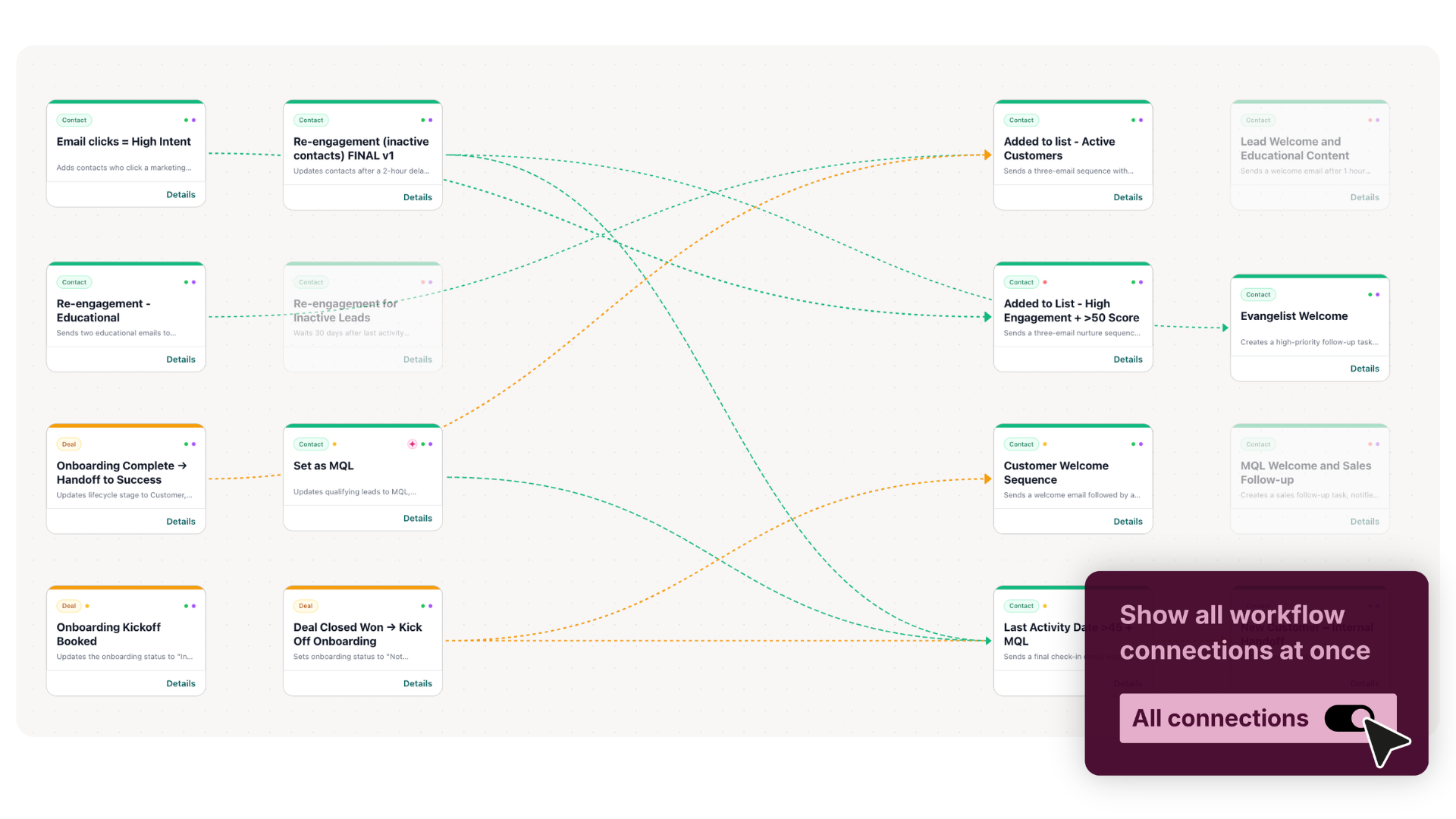
Connection lines now take the color of the source workflow's object type. Inactive paths stay red and dashed, so a broken enrollment chain is still the first thing you notice.
Built around how you explore
The Connection Map hides routine relationship labels to cut the clutter, while the Journey Map keeps them visible. Selecting a workflow dims everything unrelated to it, so its blast radius stands out against the rest of the portal.
The interface around the canvas got the same treatment: a darker header, pill-shaped search and controls, a simpler filter dialog, and a lighter sidebar with more breathing room. The sidebar also shows real workflow names on enrollment actions, and branch actions now show their names, conditions, and "Otherwise" paths.
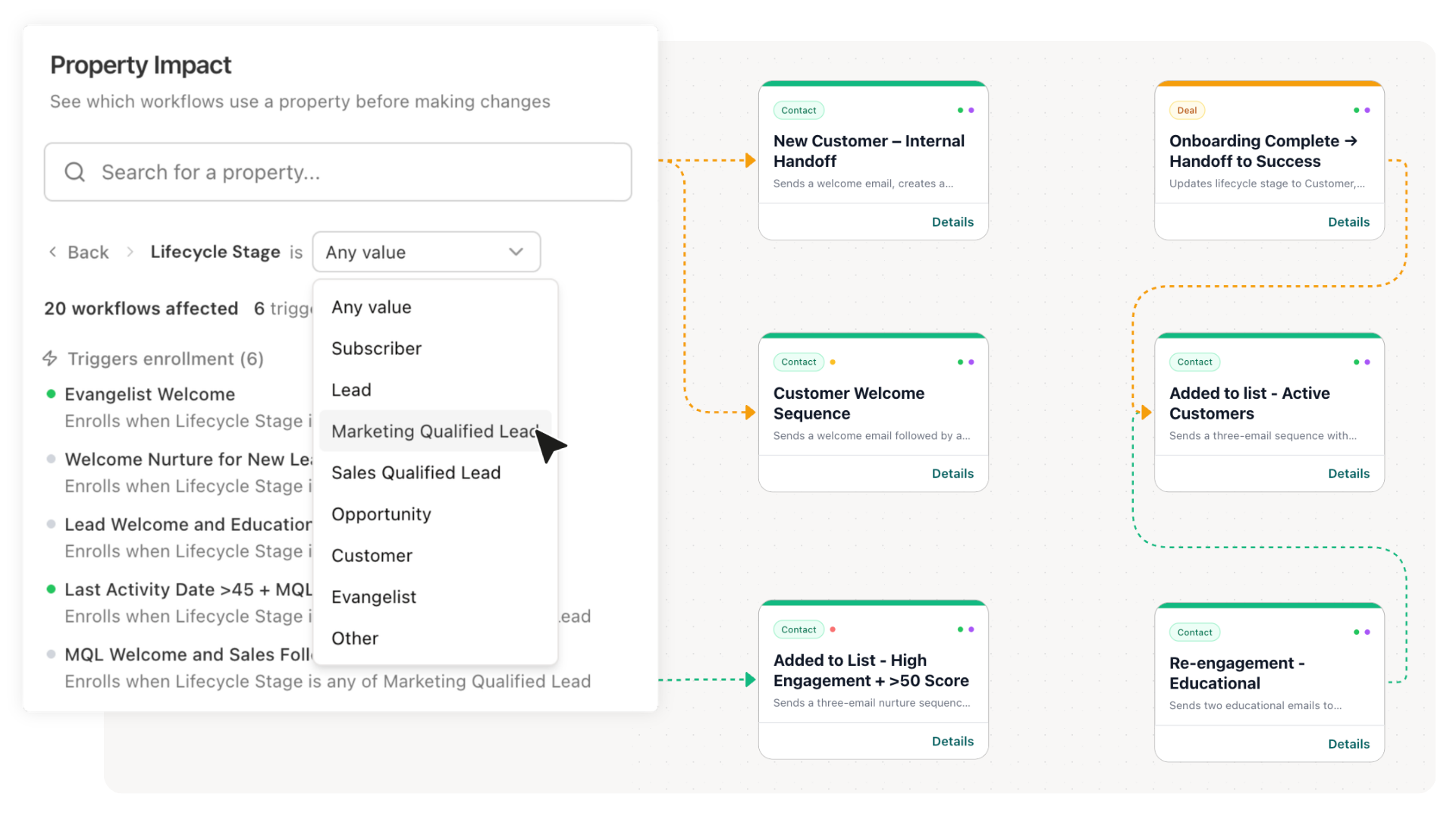
Property Impact replaces Impact Analyzer
Impact Analyzer is now Property Impact, and it can filter by a specific value. You can ask which workflows check whether Lifecycle Stage equals Customer before you retire that option. Rebuilt parsing for HubSpot's V4 workflow format also means fewer false positives. The Howly workflow guide shows where it fits in an audit.
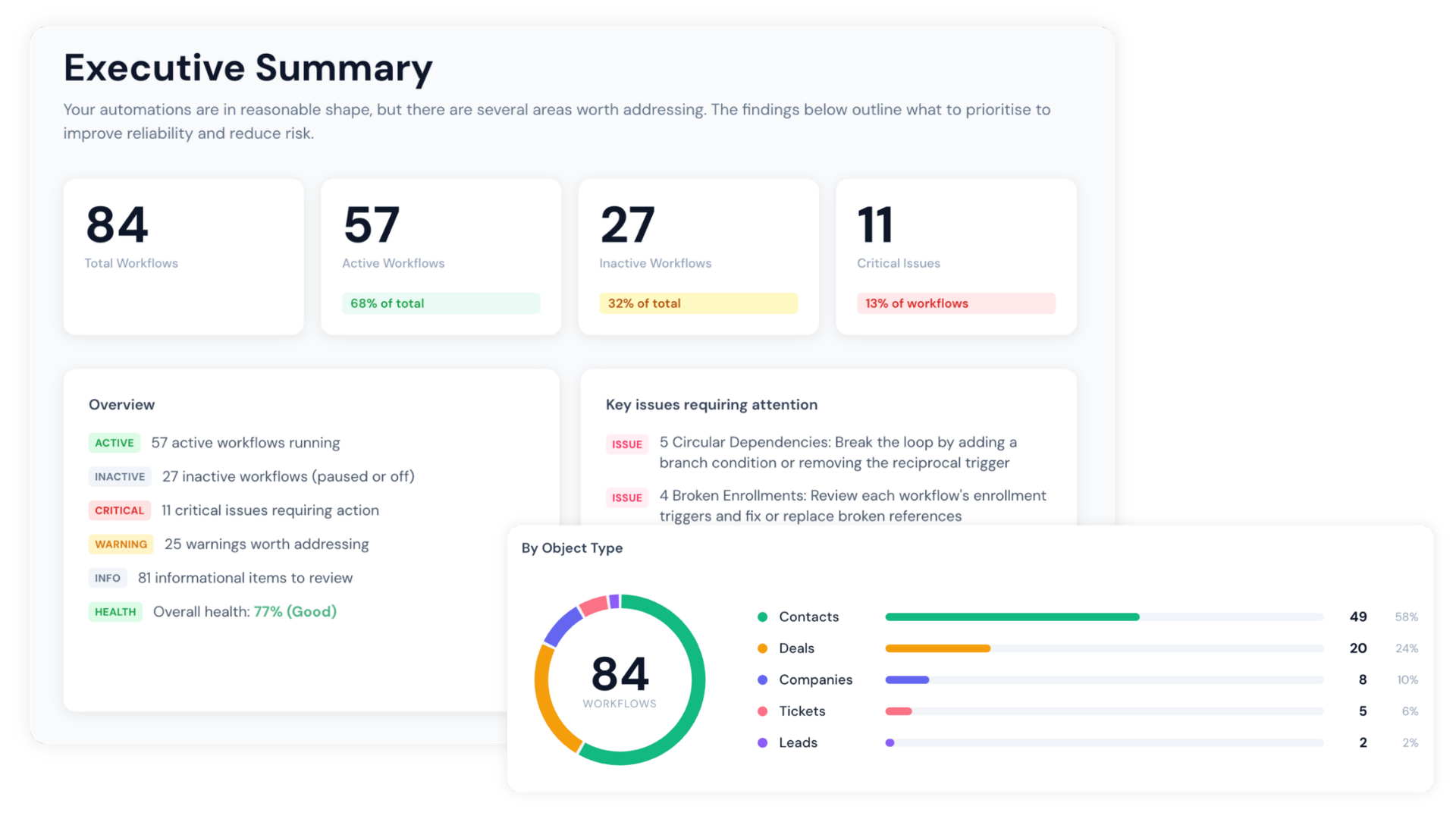
Audit Reports for four audiences
The Audit Report now has four presets: Full, Executive, Client Handout, and Technical. White-label covers switch text between light and dark automatically, so a client's brand colors never produce an unreadable cover.
MCP setup in a few clicks
Paid users and active trials get a setup wizard for Claude Desktop, Cursor, and any other MCP-compatible client. It generates the full configuration for you to copy or download, and you can rename or revoke connections from the Account page.
What stayed the same
Health Checker scores are calculated exactly as before. Howly is still a read-only HubSpot Marketplace app that connects through OAuth 2.0 and cannot change anything in your portal.
Summary
The September update gives Howly a canvas that reads cleanly at any zoom level, a Property Impact tool that works down to individual values, and reports that fit whoever is reading them. If you already use Howly, it's live in your account now. If you don't, connect a portal to Howly and see the full dependency map before your next change. The 7-day free trial requires no credit card.
Howly is a read-only HubSpot workflow mapping and audit tool. It maps workflow connections, flags structural issues, and shows the impact of property changes before you make them. Used by RevOps teams and HubSpot agencies managing complex portals at scale.