Stop Documenting HubSpot Workflows by Hand
We built a free Chrome extension that writes the documentation for you, and it never sends your data anywhere.

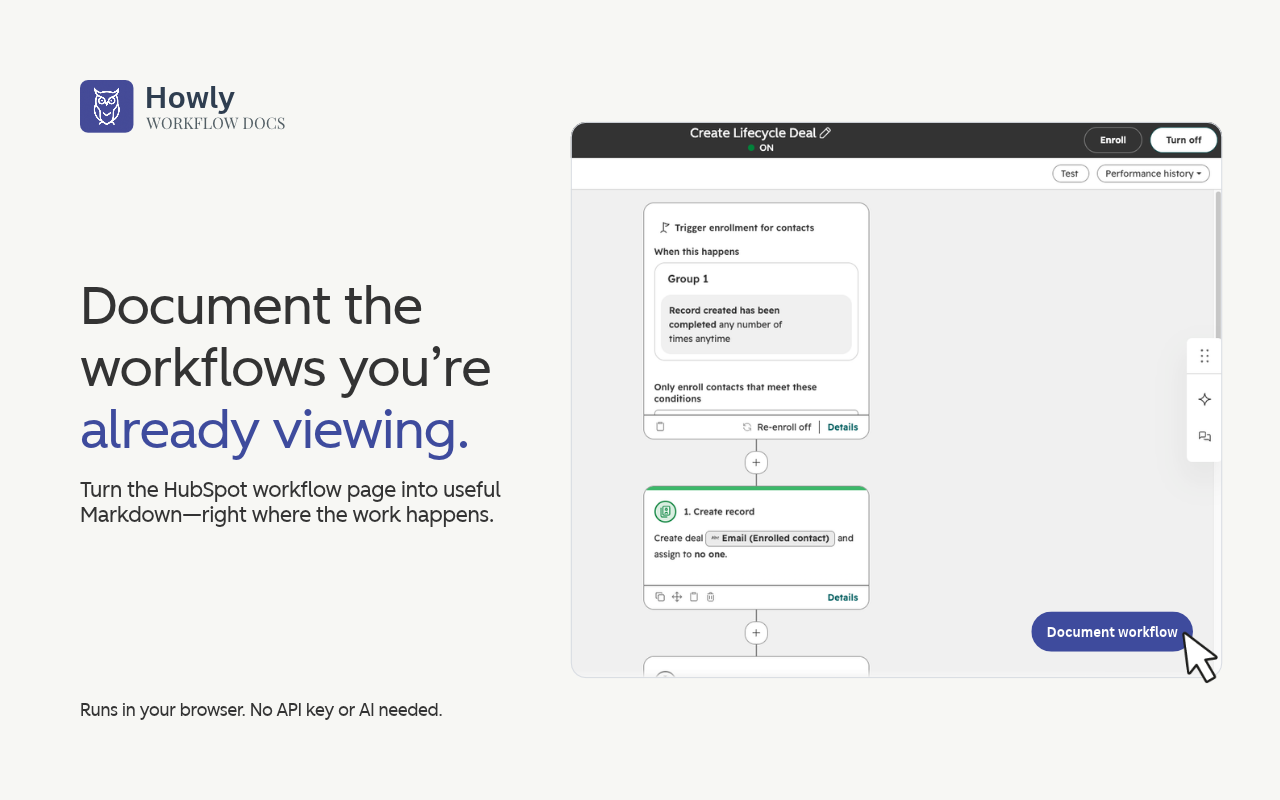
Nobody gets into RevOps because they love retyping enrollment criteria into a Google Doc. Workflow Docs by Howly is a free Chrome extension that does that part for you. It adds a button to every HubSpot workflow page, and one click turns the workflow's enrollment criteria, actions, and settings into clean Markdown you can copy or download. You don't need an account, an API key, or an AI service to use it.
The documentation request always shows up at the worst time
You're wrapping up a client engagement and someone asks you to document all the workflows before you go. A new admin starts and wants to know what everything does before they touch it. Your manager wants a handoff file by Friday.
The usual answer is to open every workflow, click into every card, and copy it all into a doc line by line. It's slow, it's mind-numbing, and the document goes stale the moment someone edits a workflow. We got tired of watching people do this, so we built a tool that does it in seconds and gave it away for free.
What you get
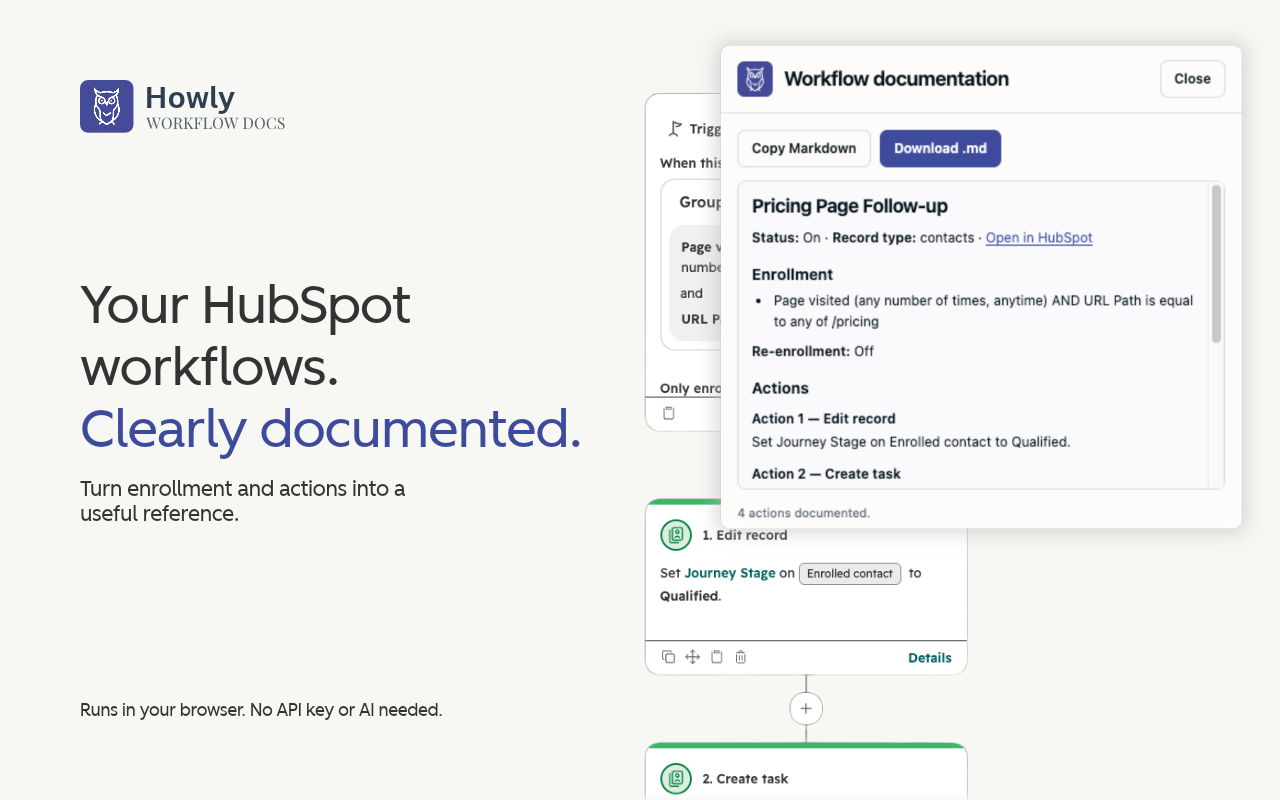
Each document starts with the workflow's name, whether it's on or off, the record type, a link back to the workflow, and the time it was captured. Below that, you get the enrollment criteria, the re-enrollment setting, and every action and branch listed with HubSpot's own action numbers. If the page shows descriptions, suppression lists, or other settings, those come along too.
The output is plain Markdown, so it drops straight into Notion, Confluence, Google Docs, a GitHub repo, or a client handoff folder without any cleanup.
Document one workflow or a whole stack of them
For a single workflow, open it in HubSpot, let the canvas finish loading, and click Document workflow in the bottom right. The extension scans the canvas for up to about 30 seconds and then shows you the finished document. From there you can copy the Markdown or download it as a .md file.
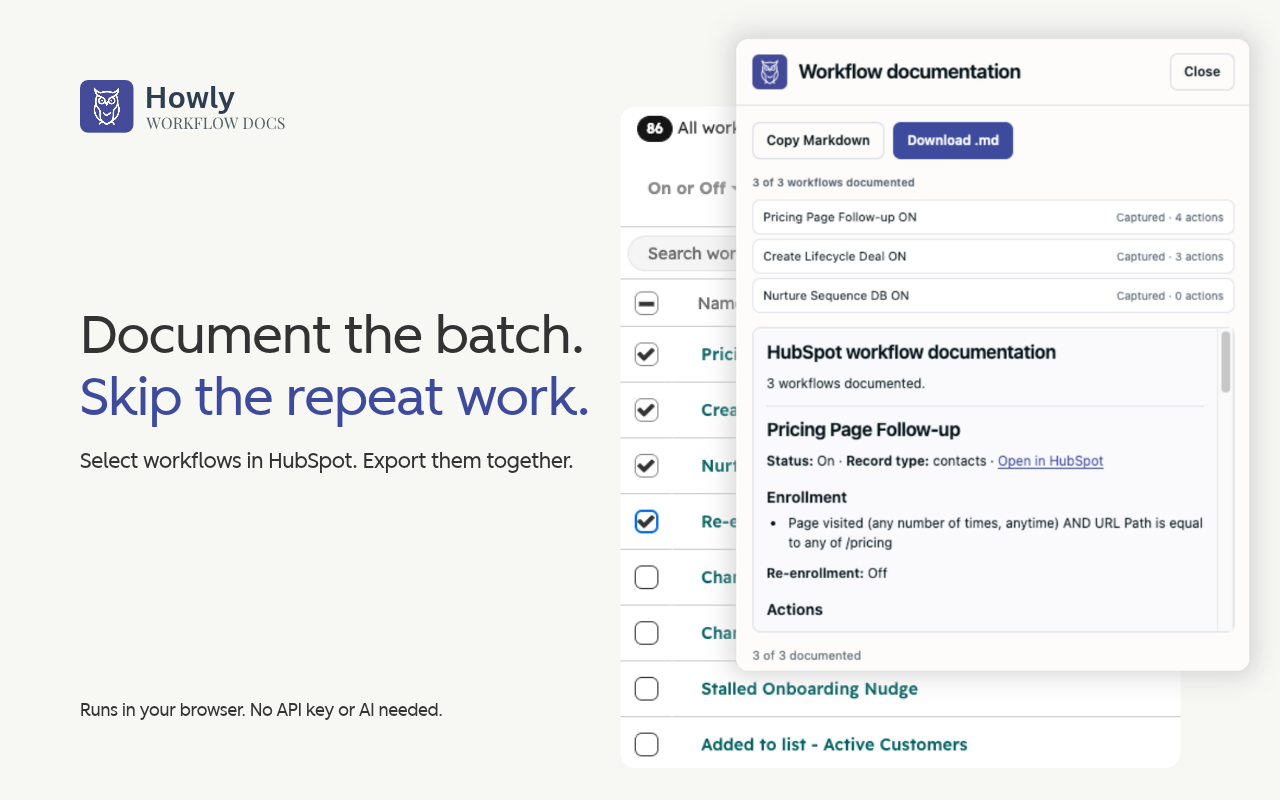
For a bigger job, go to your workflows list and tick the ones you want with HubSpot's own checkboxes. Click Document selected and the extension works through them one by one while you watch the progress. When it's done, you get one .md file with a section for every workflow. If one of them fails to load, the rest keep going, and the document tells you which ones to retry.
Your workflows never leave your browser
Everything runs locally in Chrome. Workflow Docs doesn't send anything to Howly, to a server, or to an AI model. It doesn't call HubSpot's API, it doesn't ask for your credentials, and it can't edit your workflows. It reads what HubSpot already shows you on the page and writes it down neatly.
That's a big deal when the portal belongs to a client. Workflow text is full of business logic, internal email names, and team details, and with Workflow Docs that information ends up in exactly one place, which is wherever you save the file.
Where Howly picks up
Workflow Docs tells you what one workflow does. It doesn't tell you how that workflow connects to the other 140 in the portal, or what breaks when you change it. It also documents what's rendered on the page, so very large canvases may not show every action. When the extension suspects something is missing, it adds a review note to the document instead of guessing.
The connections between workflows are what Howly is built for. Howly is a read-only HubSpot app that connects via OAuth 2.0 and maps every workflow in a portal, including direct enrollment, list-based, and property-based connections. Workflow Docs gives you the written record, and Howly shows you the whole system.
Get Workflow Docs
Download HubSpot Workflow Docs by Howly from the Chrome Web Store →
Frequently Asked Questions
How do I document a HubSpot workflow without copying everything by hand?
Install Workflow Docs by Howly, open the workflow in HubSpot, and click Document workflow. The extension reads the enrollment criteria, actions, and settings shown on the page and turns them into Markdown. You can copy the result or download it as a .md file. The scan takes up to about 30 seconds per workflow.
Can I export documentation for multiple HubSpot workflows at once?
Yes. Select workflows on HubSpot's workflows list using the native checkboxes, then click Document selected. Workflow Docs processes them one at a time and combines them into a single Markdown file with one section per workflow. Any workflows that fail to load are listed at the end so you can retry them.
Does Workflow Docs send my HubSpot data anywhere?
No. Workflow Docs processes everything locally in your browser. It does not send workflow content to Howly, a server, a telemetry provider, or an AI service. It does not use HubSpot's API, and it does not change anything in your portal.
Is Workflow Docs the same as Howly?
No. Workflow Docs is a free Chrome extension that documents individual workflows. Howly is a read-only HubSpot Marketplace app that maps how every workflow in a portal connects, scores portal health, and shows the impact of property changes. Many teams use Workflow Docs for written records and Howly for dependency mapping and audits.
Summary
The next time someone asks you to document the workflows, you can say yes without losing your afternoon. Install Workflow Docs, click the button, and hand over clean Markdown. When you want to see how all of those workflows connect, try Howly free for 7 days with no credit card required.
Howly is the #1 workflow audit tool for HubSpot Solutions Partners. It maps every workflow connection and dependency, shows the blast radius of a property change before you make it, and exports white-labeled audit reports. Trusted by 250+ solutions partners worldwide.
About the author
- Founder of Howly.io - I help HubSpot Admins and Agencies move from manual spreadsheets to automated workflow mapping. Building the visibility layer for the modern RevOps stack.
Comments
Join the discussionNo comments yet. Be the first to comment.
RevOps and Strategy
The bigger picture. Why RevOps is broken, what AI agents are doing to HubSpot portals, and how to think about governance before things get out of hand.